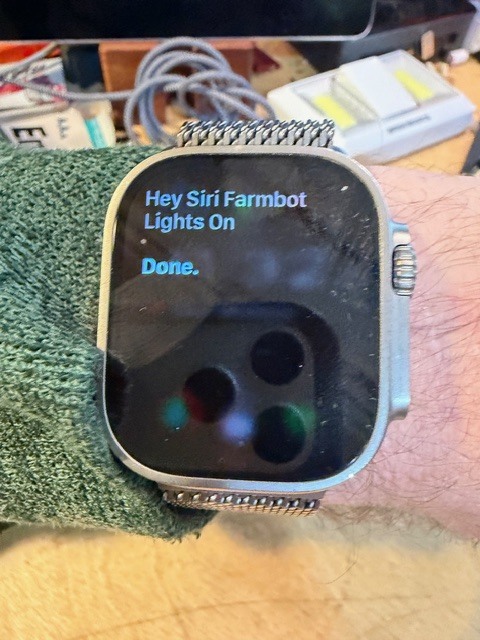
I made a number of updates today for verbal interactions with my wonderful Farmbot along with a camera that watches the garden for animal motion that triggers Farmbot movements to scare a puppy from jumping in. I was able to use OpenAI Codex for automating the building , deploying the docker container vi its cli agent.
- It is now a local hosted Docker container for my webhook service vs using Microsoft Azure. I ditched Microsoft Teams for the Discord.
- Integrated into a compose stack with a dedicated farmbot service and specific port to avoid the 30 other containers running on the Raspberry Pi
- Added secrets mounting (/run/secrets) for Discord and UniFi API keys to manage outside of the container and secure them better
- Normalized use of snake case in my code… I was previously all over the place…
- New/updated Action Endpoints
New actions were added beyond the original demo:
- lights_on, lights_off
- vacuum_on, vacuum_off
- rpi_on, rpi_off
- irrigation_on, irrigation_off
- rotary_forward, rotary_reverse, rotary_stop
- demo_move_home (moves to X/Y variables and back home)
- all have Discord updates on a specific server channel
Each action uses the Farmbot Python client to actually control peripheral pins and
tool head movement
- Pin Mappings (config-driven)
Configured pin mapping via environment variables:
LIGHTS_PIN=7
IRRIGATION_PIN=10 ( used for external solenoid to turn backyard irrigation sprinklers on)
WATER_PIN=8
VACUUM_PIN=9
RPI_PIN=12
ROTARY_FWD_PIN=2
ROTARY_REV_PIN=3
Discord notifications for all actions
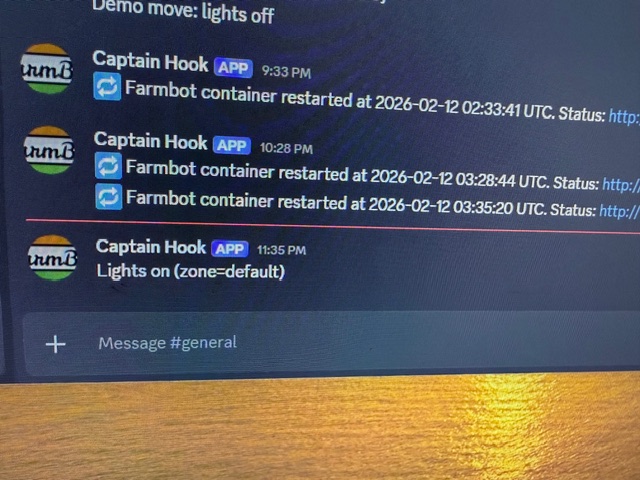
Every action now posts a Discord message using a webhook stored in secrets.
- This gives you a live “action log” on Discord.
- Messages are short and readable, not raw JSON.
Demo Enhancements
demo_move_home now consist of these actions:
- Turns lights ON before moving
- Moves to target position
- Returns home
- Turns lights OFF afterward
- Sends Discord updates at each step with position info
Browser‑Friendly Triggers
Added GET support for /trigger/ so you can trigger actions from a
browser:( security is managed with IP source IP target)
This is what is used for a siri shortcut in ios, a simple GET
http://:7777/trigger/demo_move_home
You can also pass query params:
http://:7777/trigger/demo_move_home?x=450&y=250&z=0
This also can be in the Siri shortcut with verbal prompts for variables, this is great when calibrating at the garden speak commands while working for a better tool change link up.
*** UniFi Protect Motion → Farmbot Automation**
I have Unifi NVR with security cameras, that have AI recognition capabilities, they can discern between leaves moving and an animal and human. so I set up motion to scare off an animal( in my case a 10 month old Irish Wolfhound named LUNA) (yes named for Galileo Luna-2…LLM accuracy tooling)
Added /webhooks/unifi-protect-motion:
- Accepts UniFi motion events
- Applies cooldown
- Triggers a Farmbot demo move URL
New config options:
- UNIFI_MOTION_TRIGGER_URL
- UNIFI_MOTION_TRIGGER_TIMEOUT
- UNIFI_MOTION_REQUIRE_CAMERA
- UNIFI_MOTION_REQUIRE_MOTION
- UniFi Protect → Discord proxy
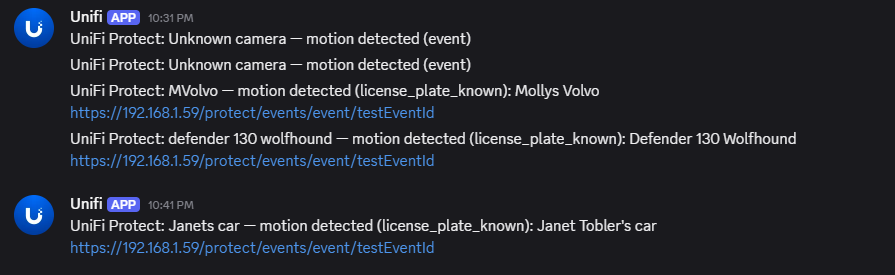
ok, so this is just me for other Unifi events as Discord posts should be formatted as readable text, not raw event dumps that Unifi provides. Its already solved with the farmbot webhooks so I had the container available to use the same process pass through for alarms/alerts for license plate reading.
Added /webhooks/unifi-protect-discord:
- Accepts UniFi Protect webhook JSON
- Formats a Discord message (camera/alarm name, trigger type, event link)
- Posts to Discord via a webhook secret (discord_unifi.txt)
- UniFi payload dump tool
Added /webhooks/unifi-protect-dump:
- Logs full raw JSON payload and headers to container logs
- Used to reverse‑engineer event formats for custom Discord messages
Let me know if you have questions or would like more information on getting this to work for you.
-Joe