Hi @mvillion
I’ve never used email widely, since email in its nature is not very fast / reliable. Have you testet the Teamswebhook yet? Thanks to the blog post over here Microsoft Teams Webhook I was able to modify it slightly to use it in all my sequences.
My code
looks like this and consists out of three variables:
→ EDIT: Decided to directly publish it, so you can easily clone it from here: The FarmBot Web App 
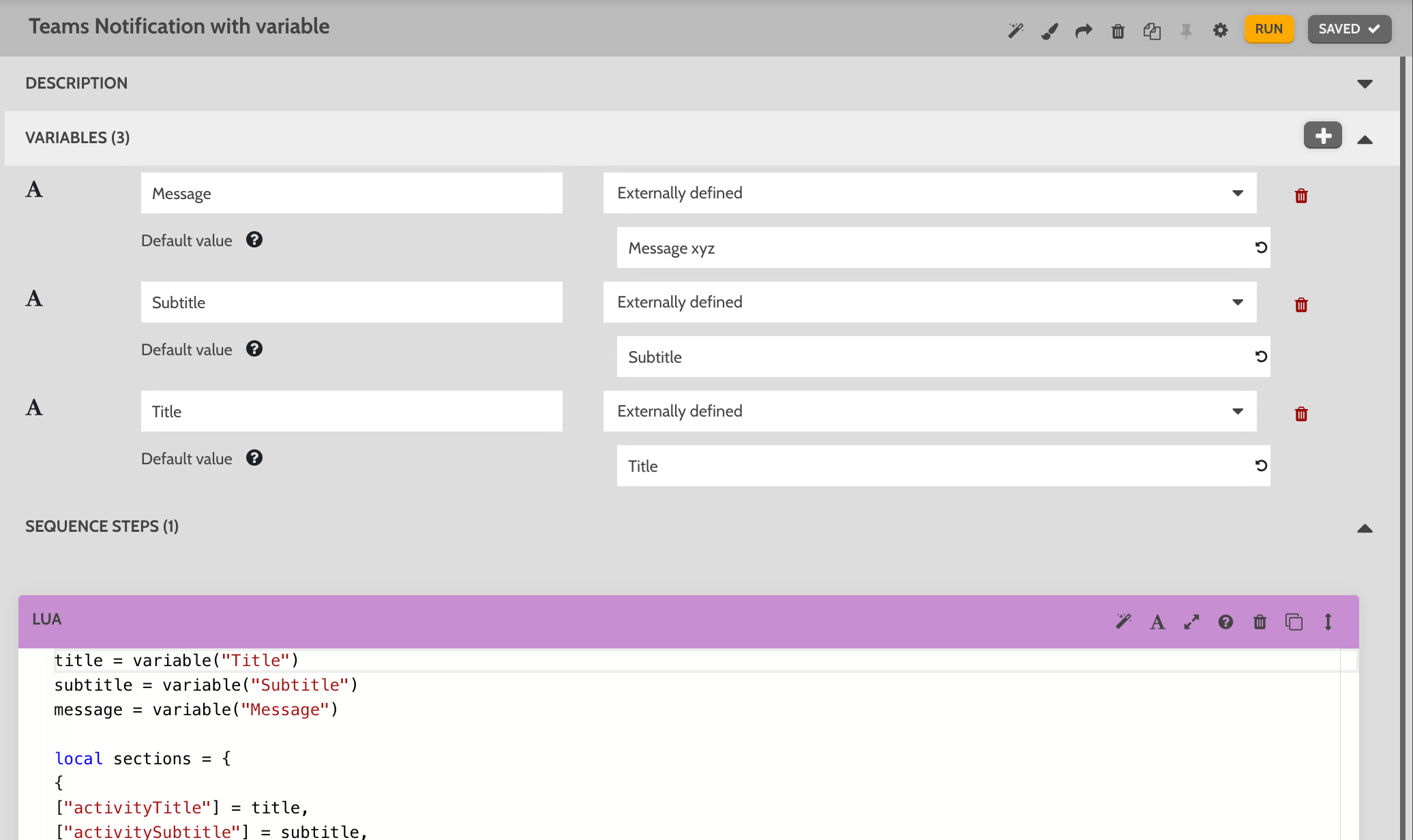
The code:
title = variable("Title")
subtitle = variable("Subtitle")
message = variable("Message")

local sections = {
{
["activityTitle"] = title,
["activitySubtitle"] = subtitle,
["activityImage"] = "https://forum.farmbot.org/uploads/default/original/2X/3/3644d5941650ef4a0e9b91eb44d46c7d05faea05.png",
["facts"] = {
{
["name"] = "Local time",
["value"] = tostring(local_time("hour")) .. ":" .. tostring(local_time("minute"))
},
{
["name"] = "Message",
["value"] = message
},
},
["markdown"] = true
}
}

-- Create the message payload for Msft Teams
local payload = json.encode({
["@type"] = "MessageCard",
["@context"] = "http://schema.org/extensions",
["summary"] = "Farmbot Status Update",
["themeColor"] = "8EA604",
["sections"] = sections
})

-- enter your webhook url here
local url = "https://<mytenant>.webhook.office.com/webhookb2/xyz"

local res, err = http({ url = url, method = "POST", headers = {}, body = payload })

if err then
send_message("error", "ERROR: " .. inspect(err), {"toast"})
else
send_message("debug", "REQUEST SENT: " .. inspect(res))
end
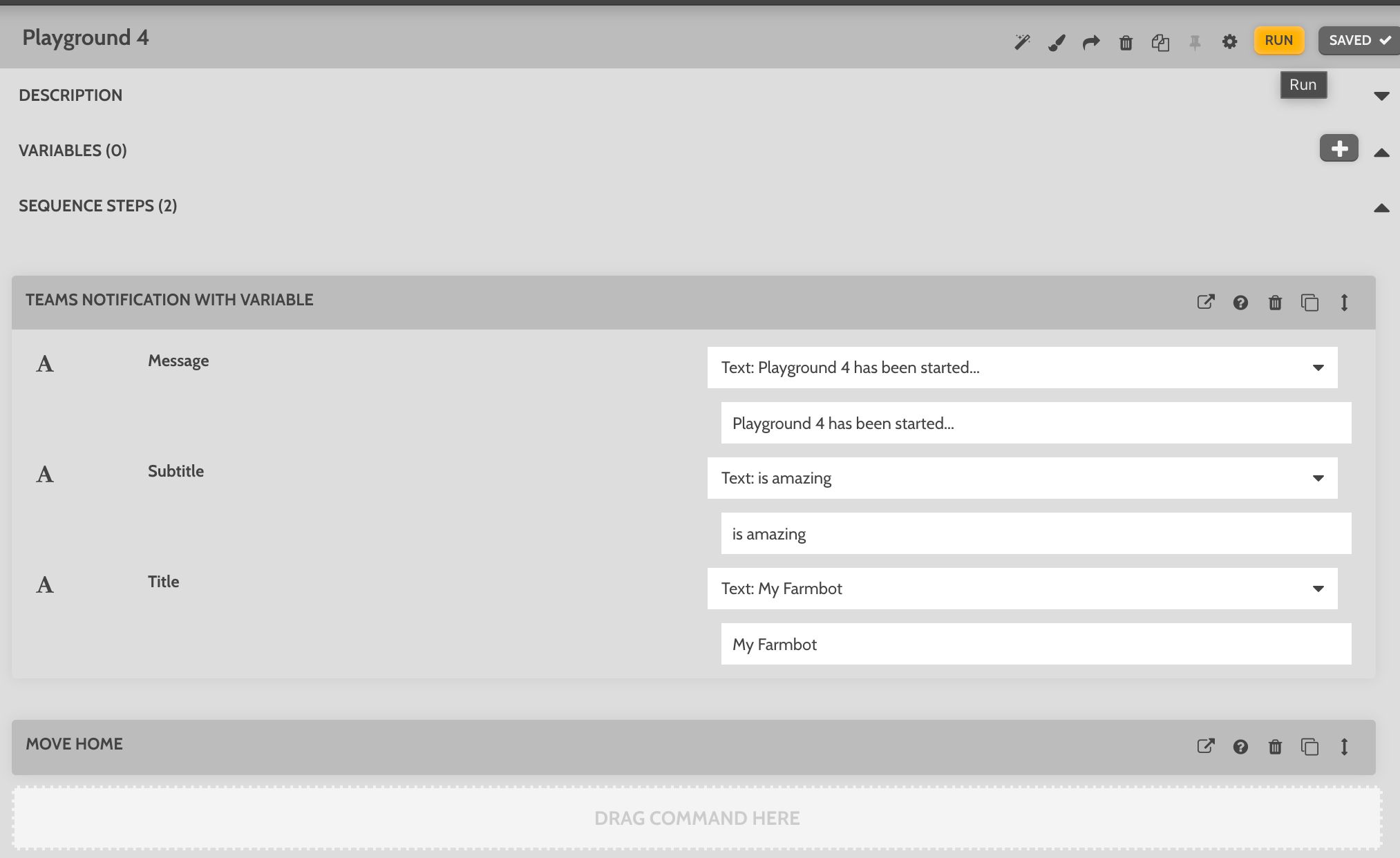
Sample on how to use it in a sequence:
Just use it where ever you need it…
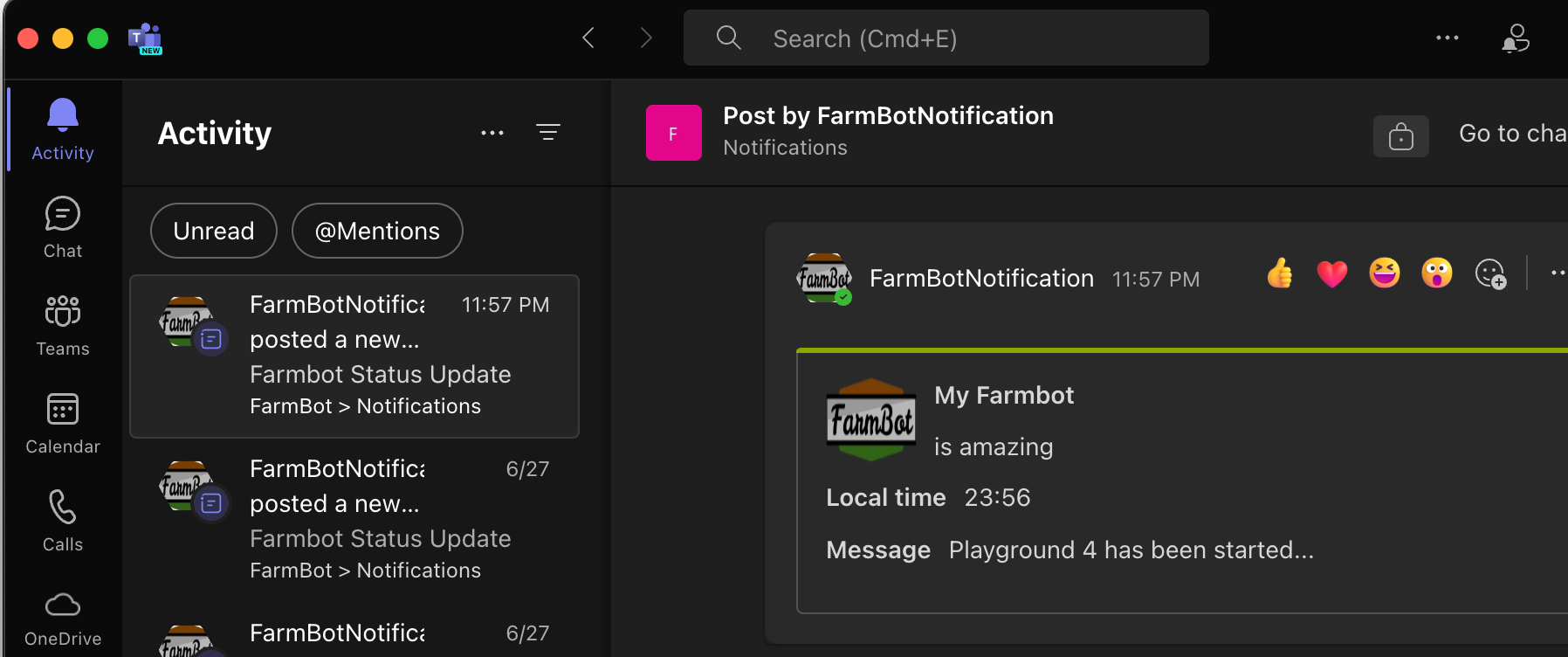
Result:
How to get a webhook URL
Follow the instructions over here: Create an Incoming Webhook - Teams | Microsoft Learn