Hello all and Happy New Year! This year kicks off with another software update now live for the FarmBot web app. Here’s what’s new:
3D spread spheres
Now when the SPREAD map layer is turned on, you’ll see semi-translucent green spread spheres around every plant in the 3D farm designer beta. Just like the old 2D spread rings, the spheres represent the maximum expected space the plant will take up once matured, allowing you to better plan your garden layout.
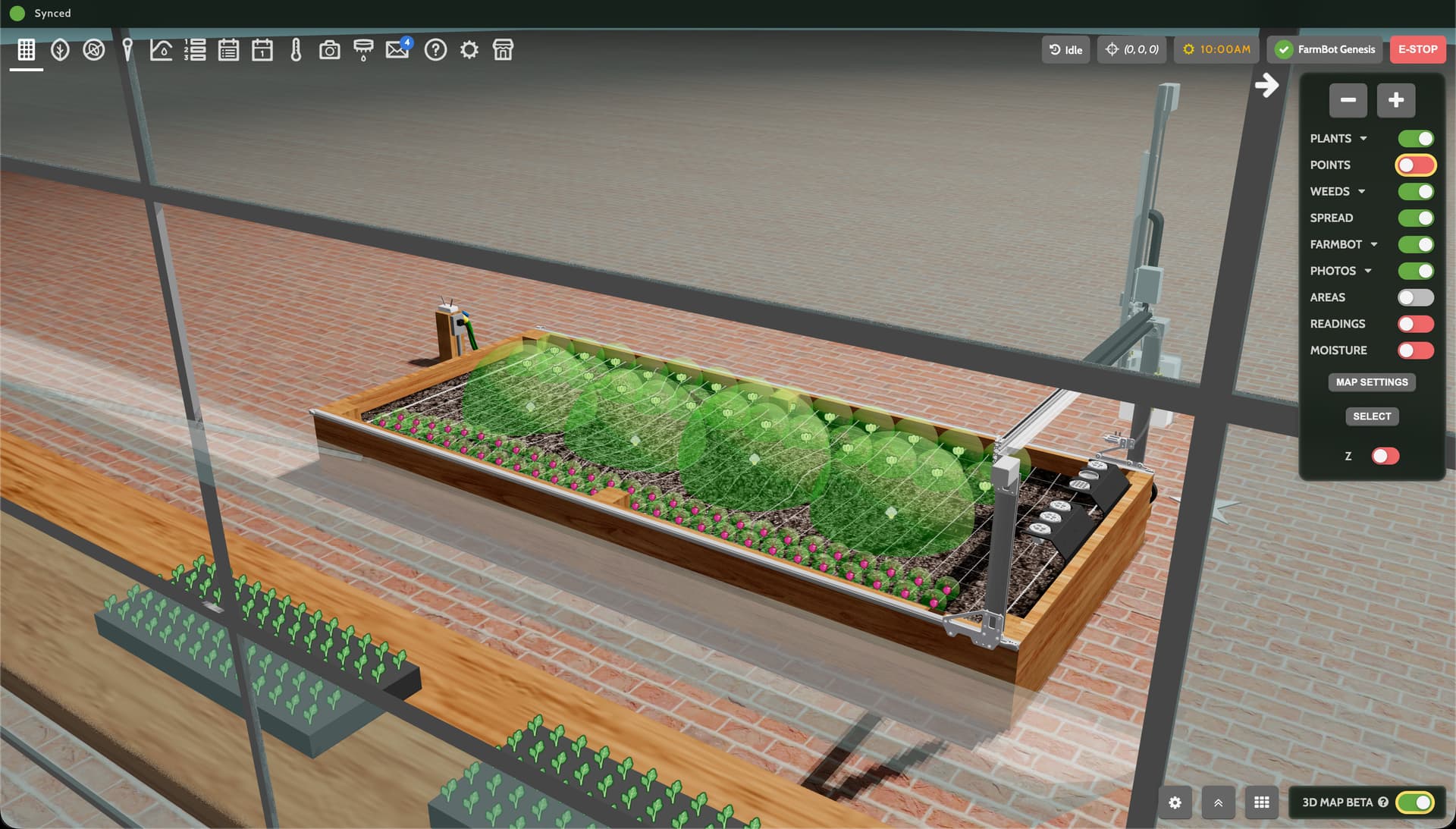
In addition to the green spheres, white spread spheres are now shown as a preview when adding new plants to the garden individually or as part of a grid or row.

And finally, spread spheres will show as red when they are:
- Extended beyond the inside edges of the bed with tracks (which can cause machine interference)
- Too close to X=0 (where toolbays are typically located)
- Extended above the bottom of the gantry main beam
- When a new plant being added would have an overlapping spread

Improved grid and row planting
The grid and row planting popup got a big performance boost: it now renders the preview 5x faster. This allowed us to increase the number of plants you can add at once from 100 to 200.
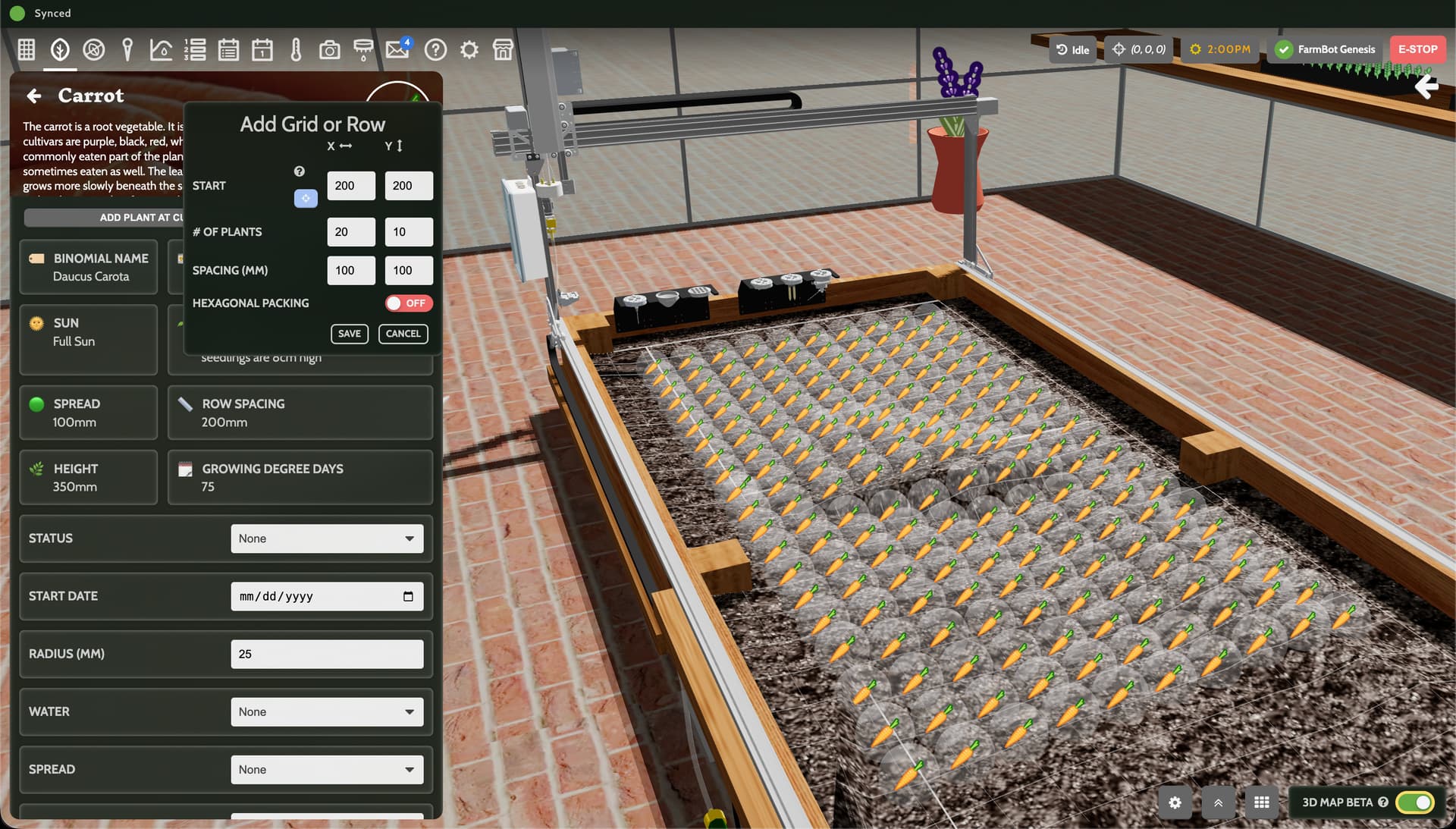
We also removed the preview toggle, favoring always-on previews to save you a click. And finally, the popup now stays open even when clicking out of it (to move the 3D view, for example). To actually close it, click the cancel button.
Coming soon…
In the next update you can expect 3D visualizations of the camera’s view as well as animations for when FarmBot is taking photos, performing calibration, measuring soil height, and detecting weeds. Stay tuned!


